
Desktop App
Smart Pocket Desktop App
Manage expenses, budgets, subscriptions, receipts, and everyday finances with a focused Smart Pocket desktop experience.
Verified Microsoft Store app
Safe install through Microsoft
Automatic Store updates
Manage expenses, budgets, subscriptions, receipts, and everyday finances with a focused Smart Pocket desktop experience.
Get Smart Pocket on Windows through Microsoft Store for a faster, cleaner desktop finance experience.
Microsoft Store version 0.1.1

Use Smart Pocket on macOS with a focused desktop experience for daily money management.
Version 0.1.1 • Updated August 3, 2026
This Apple Silicon early-access build is not yet Apple-notarized.
Why use it
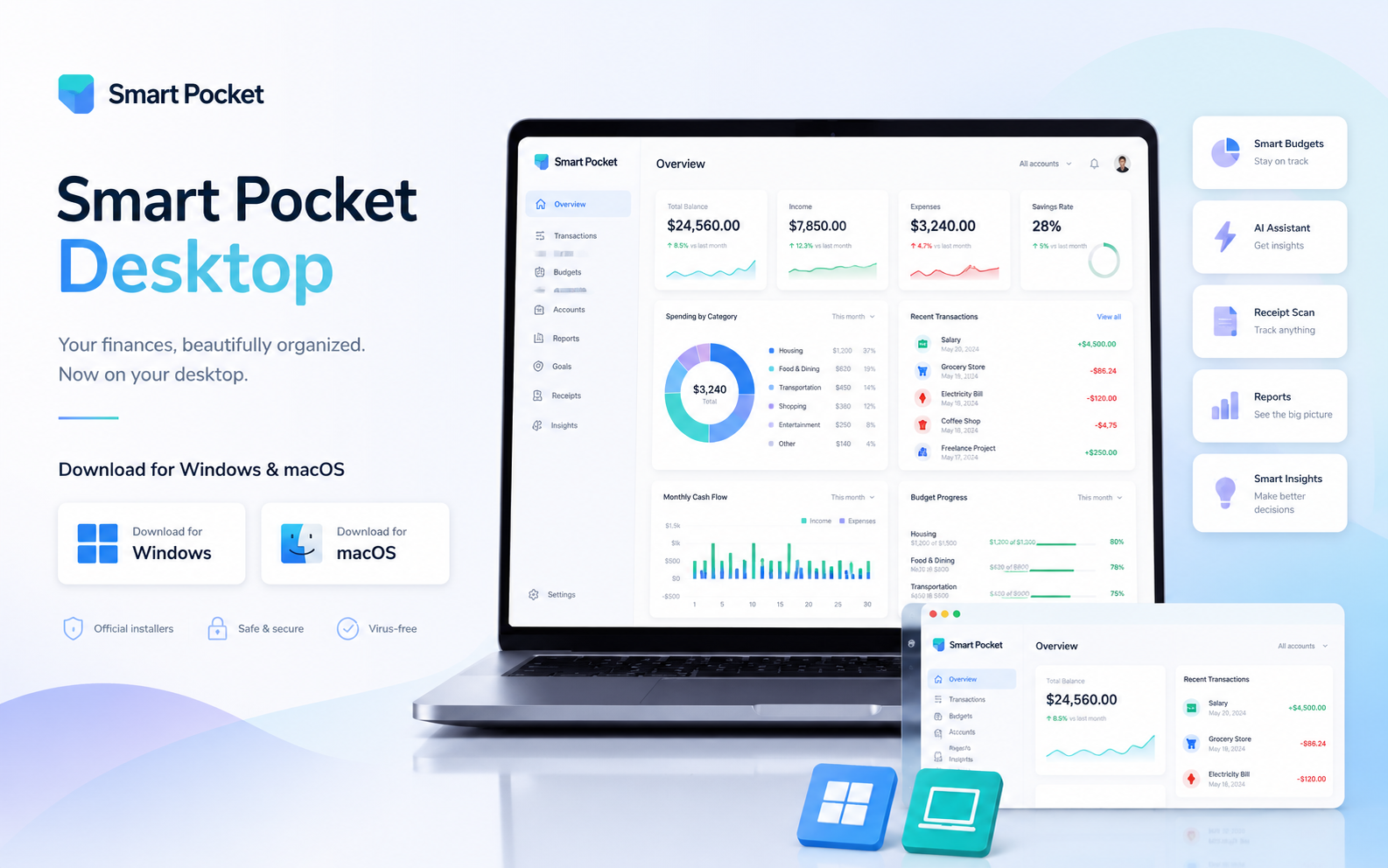
Smart Pocket Desktop keeps the experience compact, readable, and practical while giving you more room to focus on your finances.
Launch quickly and get things done with a smooth desktop experience.
Ask AI, get insights, and let Smart Pocket help you make better decisions.
Scan, store, and review receipts and documents from one larger workspace.
Protect your data with industry-standard encryption and secure authentication.
Stay up to date with the latest features and improvements automatically.
A calmer, fine-tuned desktop experience built for daily money management.
What's new
The current desktop release keeps improving sign-in, installer delivery, and everyday stability.
Current version
0.1.1
Release date
August 3, 2026
How to use
Get started in a few simple steps and keep your finances close at hand on desktop.
Get Smart Pocket for Windows through Microsoft Store or prepare the macOS installer.
Open Microsoft Store to install Smart Pocket on Windows, or open the macOS installer and follow the quick setup steps.
Use your Smart Pocket account to continue where you left off.
Add transactions, follow budgets, scan receipts, and manage subscriptions.
Get the latest fixes and improvements as the desktop release continues to mature.
Ready to download?
Download Smart Pocket on desktop and keep your finances close at hand.
Get Smart Pocket on Windows through Microsoft Store for a faster, cleaner desktop finance experience.
Microsoft Store version 0.1.1
Use Smart Pocket on macOS with a focused desktop experience for daily money management.
Version 0.1.1 • Updated August 3, 2026
This Apple Silicon early-access build is not yet Apple-notarized.
Prefer the web version?
You can continue using Smart Pocket directly in your browser.